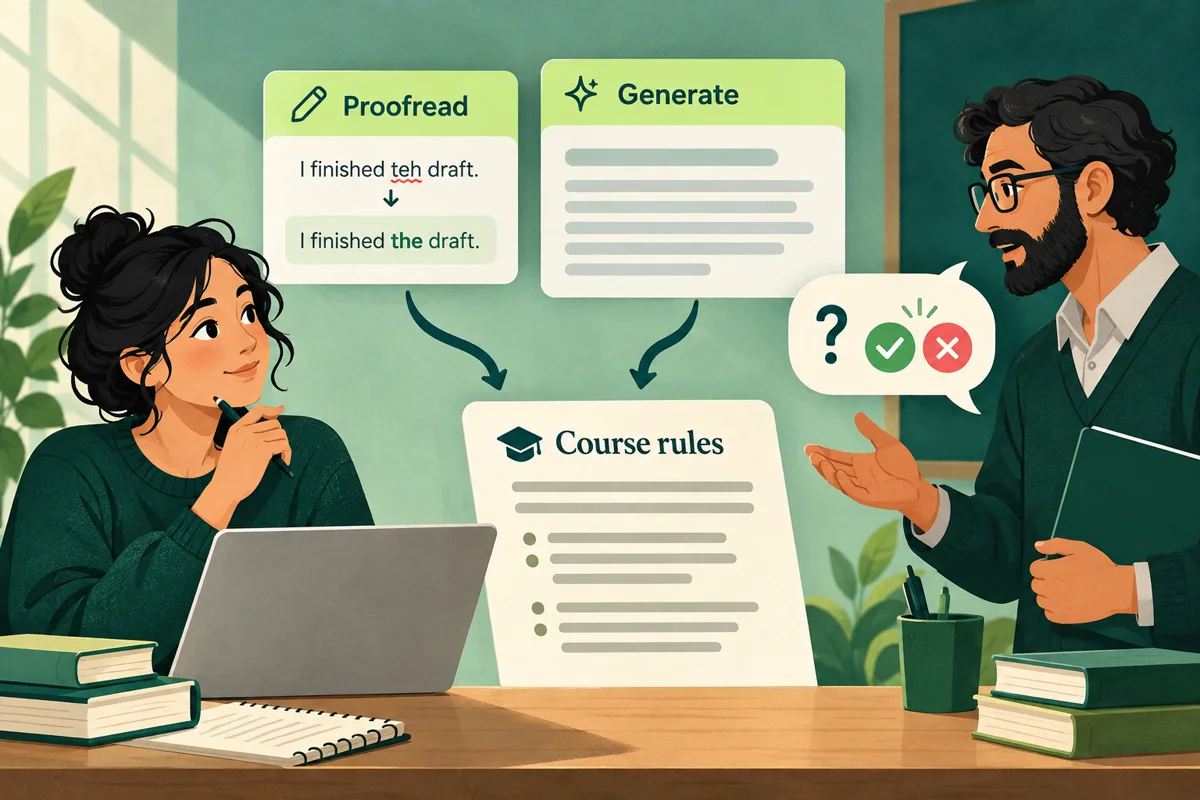
Does Grammarly count as AI use?
There isn't one answer for every Grammarly feature or every class. Grammarly offers a range of capabilities: proofreading suggestions, sentence rewrites, and prompt-based generative writing. Your instructor or institution decides which uses are allowed for a given assignment. Grammarly's own student guidance also says that course policies vary and students should check the rules for their class. (Grammarly's school-use guide)
Grammarly's current product page describes prompt-based ideas, outlines and generated writing alongside proofreading feedback. That helps identify different kinds of assistance, but the product description does not decide whether your course permits them. (Grammarly's AI writing assistant)
For a documented example of larger edits, Grammarly's support page describes rewriting whole paragraphs or selected text. Feature documentation describes an action, not course permission; check the feature available in your own account and interface (Grammarly's paragraph-rewrite documentation).
Separate two questions: what assistance did the feature provide, and does this assignment allow that assistance? A product's AI label is not a course permission decision. Equally, calling an action “just editing” does not describe how much wording or thinking the tool supplied.
Check the feature, not just the brand name
Before using Grammarly on coursework, look at what the specific feature does. A spelling suggestion, a sentence rewrite, a generated paragraph, and a prompt-based outline are different actions. Course rules may cover proofreading as well as generative features, or draw different lines around them. Do not assume any feature is allowed because it appears inside a familiar writing app.
Use an action description like the examples below when you ask about a feature. These are editorial categories, not a verified list of button names or a claim that every Grammarly account has identical features.
Scroll the table to compare all columns.
| Action | What to describe | Question to clarify |
|---|---|---|
| Correct spelling or punctuation | The specific correction | Is this help permitted? |
| Replace a sentence | How the wording changes | Are sentence rewrites allowed? |
| Generate an outline | Who supplied the structure | May AI plan the response? |
| Generate a passage | What text the tool supplies | May generated prose be used? |
Record what you accepted, not only whether you typed a prompt. An automatically offered suggestion still needs review under the applicable rule. Do not assume a replacement sentence is equivalent to correcting one spelling error just because both appear as suggestions in the same interface.
Try this checklist:
- Read the syllabus and assignment instructions for the rules on AI, grammar tools, rewriting, and disclosure.
- Identify the exact Grammarly feature you plan to use and what it will change or generate.
- If the rule is unclear, ask your instructor before using it and keep the reply.
- If the feature is allowed, follow the required disclosure or citation format.
- Keep your draft, notes, sources, and version history so you can explain how the work developed.
Maricopa Community Colleges advises students that policies can differ by course, that writing assistants which rewrite or generate sentences may count as AI, and that students should ask when unsure. George Mason University likewise tells students to check course policies and any applicable department or unit rules. These examples of college and university guidance show why you should read the syllabus and assignment instructions, check any applicable department or institution policies, and ask your instructor if anything is unclear. (Maricopa student guidance, George Mason student guidelines)
For translation rather than proofreading, see our guide to Google Translate and university assignments, which separates reading support from translating text for submission.
Name the feature you actually used.
- EditingSpelling and punctuation
Check how your course treats basic writing assistance.
- RewritingChanging phrasing
Consider how much of the wording the tool supplied.
- GeneratingCreating new text
Check the rules for generating ideas, sentences or passages.
Two fictional course rules, different decisions
The following rules are invented for this article. They are not quotations from a real syllabus, university-wide policy or a student's case. They illustrate why you need the actual assignment wording instead of a universal list of approved apps.
Fictional rule A: Basic spelling and punctuation assistance is permitted. Do not use tools to generate or rewrite prose that you submit.
Under that wording, a spelling correction is the stated kind of help permitted. Replacing a sentence with a tool's revised sentence would go beyond the stated permission. A suggestion that mixes a correction with broader wording changes needs clarification; do not treat the whole suggestion as approved merely because one part fixes punctuation.
Fictional rule B: Do not use an AI-powered writing tool on this assignment unless I approve the specific use in writing.
Under that wording, describing the intended action as proofreading would not itself supply approval. Ask about the named feature and action before using it. Another class allowing the same action would not answer the permission question for this assignment.
These are readings of two invented rules, not disciplinary decisions. Your real syllabus may define terms differently or add assignment-specific instructions. If the wording leaves a boundary unclear, ask the instructor rather than assigning yourself a permission category.
Ask about the action you want to take
An instructor can respond more usefully to a concrete action than to “Can I use Grammarly?” Use this original request as a starting point; include only a brief, non-sensitive example if it helps explain the action.
Permission request: For [assignment], may I use Grammarly's [feature label] to [specific action]? The feature would [correct spelling / offer replacement sentences / generate an outline / produce new text]. I plan to [describe how you would review and use the suggestions]. Does permission cover that action, and what acknowledgement or records would you require?
Keep the reply with the assignment instructions. If you later want to use a different feature or accept more extensive help, ask whether the earlier answer covers it. Do not expand permission for one action into assumed permission for every feature in the app.
If the task is purely sentence editing, the meaning-preservation checklist helps review an allowed revision. It does not decide whether rewriting is permitted in the first place.
Keep a truthful record of the assistance
Use a short record while you work rather than reconstructing everything at submission time. This is an original review aid, not a required university form or a guarantee about authorship.
Scroll the table to compare all columns.
| Record | What to keep |
|---|---|
| Assignment rule | Syllabus and task instructions |
| Planned action | Feature label and intended help |
| Permission | Instructor reply, if needed |
| Actual use | Suggestions accepted or rejected |
| Versions | Draft before and after edits |
| Acknowledgement | The required disclosure format |
| Unknowns | Details you cannot reconstruct |
Describe the assistance accurately. Do not say you used only spelling help if you also accepted sentence rewrites. If you cannot reconstruct a detail, identify that uncertainty rather than inventing a history or timestamps. Our draft and version-history guide explains how to organise your real drafting records.
Where disclosure is required, report the specific action and how you used the result. Follow the assignment's format; our AI-use disclosure examples can help describe the work without claiming universal approval. A disclosure records what happened; it does not turn prohibited assistance into permitted assistance.
Can Grammarly tell whether your work will be flagged?
No general guarantee applies to every feature, detector, draft, and policy. Grammarly itself says AI detectors can misidentify human and AI writing. Turnitin also says its AI report may be inaccurate and should not be the sole basis for an adverse decision. A detector score is an estimate; it cannot tell you whether a particular use of Grammarly was allowed in your class. (Grammarly's school-use guide, Turnitin's AI Writing Report guidance)
If a report raises a concern, preserve the submitted version and your notes, ask what review process applies, and explain accurately which tools and features you used. Rewriting a passage to chase a lower detector score does not answer whether the use was permitted or establish who wrote the work.
If you have already used a feature and are uncertain about the rule, keep the actual draft and feature information and ask the instructor how to proceed. Another scan cannot supply the missing permission. Before sharing coursework with any third-party tool, also check the essay-upload privacy questions.
Where HumanWords fits
HumanWords provides an AI-writing estimate and a separate rewrite that you can review. Neither feature decides whether a tool is permitted for an assignment. Check your class rules first, and review any suggested edits for meaning and accuracy. See our guide to AI detection scores and guide to revising without changing meaning.
Sources and further reading
- Grammarly: Is Using AI Cheating? How to Use It Responsibly for School
- Grammarly: AI Writing Assistant
- Grammarly: Introducing paragraph-level rewrites
- Maricopa Community Colleges: Academic Integrity for Students
- George Mason University: AI Guidelines for Students
- Turnitin: Using the AI Writing Report
- HumanWords: What an AI detection score can—and cannot—tell you